Start here
Up to 10 players
Up to10 GBRAM · 10 slots
For up to 10 players, Valheim's own limit.
Opening soon
Tell me when it opens
Valheim server hosting
A Valheim 1.0 server in London that keeps your world running when the host logs off. Bring your own world or start fresh for the Deep North, set the world modifiers, and download a backup before anyone sails off the edge of the map.
Players per world
10
Valheim's own limit
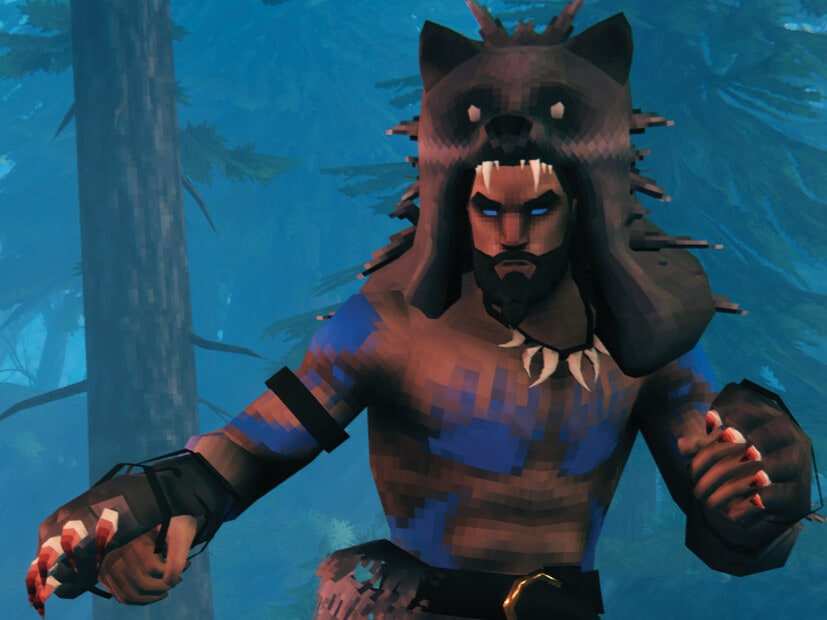
Valheim art © Iron Gate AB. HavoNode isn't affiliated with or endorsed by Iron Gate AB.
Valheim plans
Valheim lets 10 players into a world, so our bigger plans are for well-explored and modded worlds, or for more players with a mod that lifts the limit. Tell us how many of you play and whether you'll use mods.
Start with 24 slots and up to 16 GB for up to 24 players.
Start here
Up to10 GBRAM · 10 slots
For up to 10 players, Valheim's own limit.
Opening soon
Tell me when it opensStart here
Up to16 GBRAM · 24 slots
For up to 24 players with a mod that lifts the limit, or 10 on a modded or well-explored world.
Opening soon
Tell me when it opensStart here
Up to24 GBRAM · 32 slots
For up to 32 players with a mod that lifts the limit, or a heavily modded world.
Opening soon
Tell me when it opensGoing past 10 players takes a mod like ValheimPlus, and every PC player has to install the same version, which shuts out console players. With crossplay on, ValheimPlus tops out at 31 players. Iron Gate builds Valheim for 1 to 10.
These sizes are a guide. Mods, game settings and updates can all change how much RAM a server needs.
We never overload our machines. If your server lags because of our hardware, we fix it at our cost.
Cancel from your account whenever you like. It takes one click, and you won’t have to argue with anyone first.
Automatic daily backups you can restore or download any time. Your world never gets held hostage.
An AI assistant in your Game Panel that reads your server's logs and config files, and changes nothing until you approve it.
World modifiers
Valheim's world modifiers change how hard the fight is, what death costs and what goes through portals. Pick a preset to see exactly what it sets.
Combatcombat | Normal |
|---|---|
Death penaltydeathpenalty | Normal |
Resourcesresources | Normal |
Raidsraids | Normal |
Portalsportals | No metals |
Mapnomap | On |
Buildingnobuildcost | Costs materials |
Enemiespassivemobs | Aggressive |
Raids based onplayerevents | World progress |
Fire hazardsfire | Off |
Launch option-preset normal
These are the game's own preset values. A preset in the launch options rewrites the world's modifiers every time it starts, so if you upload a world you made on Casual, set Casual here too. Some modifiers turn achievements off.
Open it as a full toolBiomes and bosses
Valheim is a run of biomes, each with a boss whose drop opens the way to the next. Here's the order as of Valheim 1.0.
1 of 8
Where every Viking wakes up: gentle hills, deer, boar and greylings, and your first boss trophy.
2 of 8
Dense pine forest with trolls, skeletons in burial chambers, and the copper and tin you need for bronze.
3 of 8
Murky water, poison and draugr. Its sunken crypts hold the iron that moves you past bronze.
4 of 8
Snow, wolves, drakes and freezing cold. Bring frost resistance, because the silver is up here.
5 of 8
Open, sunny and dangerous, with fulings, deathsquitos and lox, and black metal in the fuling villages.
6 of 8
Thick mist over jagged rock, giant remains and the Dvergr, with seekers and gjall to keep you honest.
7 of 8
A burning continent in the far south, held by the Charred and their fortresses.
8 of 8
The frozen far north, added in Valheim 1.0 on 9 September 2026. It only appears in parts of a world nobody has explored yet.
Boss details from the Valheim wiki and Iron Gate's 1.0 patch notes. Worlds made before 1.0 only get Deep North content in ground nobody has explored, so Iron Gate recommends a new world for it.
Mods
Valheim has no official mod support, but the modding scene is huge. You have full access to your server's files, so you can add mods yourself.
Big Valheim updates break mods until their authors catch up, so keep a backup from before you update. Mods that every player installs shut out console players.
Settings
Valheim's server settings are launch options, plus three plain text files for admins and bans. Here's what each does.
Which world the server loads, or creates if it doesn't exist. There's no seed option for servers, so to pick a seed, make the world on your PC and upload it.
Setting-world
The password needs at least 5 characters and can't contain the server's name. A server listed publicly must have one.
Settings-name-password
Listed servers show in the community browser; hidden ones are joined by address only.
Setting-public
Lets Xbox, PlayStation 5, Switch 2 and Microsoft Store players join, through Microsoft's PlayFab relay. They connect by address or a six-digit code that changes every restart.
Setting-crossplay
Set a preset, then fine-tune single modifiers after it. The preset rewrites the world's modifiers every time it starts.
Settings-preset-modifier-setkey
Valheim saves every 30 minutes and keeps four rolling backups of its own by default. Our daily backups come on top, and you can download them.
Settings-saveinterval-backups
One player ID per line, copied from the F2 panel in game. Adding anyone to the permitted list locks everyone else out.
Settingsadminlist.txtbannedlist.txtpermittedlist.txt
2456 unless you change it. The server also uses the port above it.
Setting-port
Joining
How you join depends on whether the server has crossplay on.
In Valheim, open Join Game and choose Join IP, then enter your server's address and port from the panel. Everyone uses the same address.
With crossplay on, players join by address or a six-digit join code. The code changes every restart, so the address is the one to share.
Move the world to local saves in game, then upload its whole folder. Older .fwl and .db worlds convert the first time they load, and the game backs them up first.
203.0.113.24:2456
An example address. 2456 is Valheim's usual port; yours is in the panel.
Valheim help
Step-by-step answers for running your Valheim server, each one checked against the game's own docs.
FAQ
What people ask before they rent a Valheim server.
We recommend up to 10 GB for up to 10 players, up to 16 GB for up to 24 players and up to 24 GB for up to 32 players. Our RAM sizes are a guide, based on player count. What a server really uses also depends on its mods and plugins, its settings (map size, view distance and spawn rates all count), how much its world grows over time, and the game's own updates. If you're planning a modded server, start a size up.
Ten. Valheim 1.0 is built for 1 to 10 players, and the server turns the eleventh away. Mods like ValheimPlus can raise the limit, but every player then needs the same mod on PC, which shuts out console players, and with crossplay on ValheimPlus tops out at 31.
Yes, on a crossplay server. Valheim 1.0 has crossplay across all its platforms, including PS5 and Switch 2, and players join by address or a six-digit code. Crossplay runs through Microsoft's PlayFab relay, so expect a little more latency than a direct Steam connection.
Yes. Move it to local saves in game, then upload the whole world folder. Worlds from before 1.0 (.fwl and .db files) convert the first time they load, and the game backs them up first. Xbox worlds can be reached on PC through the Microsoft Store version.
Only in areas nobody has explored yet, because new biome content generates in fresh ground. Iron Gate recommends starting a new world for 1.0.
Yes. Most Valheim mods run on BepInEx, from Thunderstore. Iron Gate doesn't support mods officially, so a big update can break them for a while, and mods that every player installs mean console players can't join.
Yes, with launch options or the admin console commands. A preset in the launch options rewrites the world's own modifiers every time it starts, so set the one you want to keep.
Add your player ID to adminlist.txt, one per line, copied from the F2 panel in game. Admins can kick, ban, save the world and change world modifiers. There are no cheat commands on a dedicated server.
In London, close to players across the UK and Europe.